
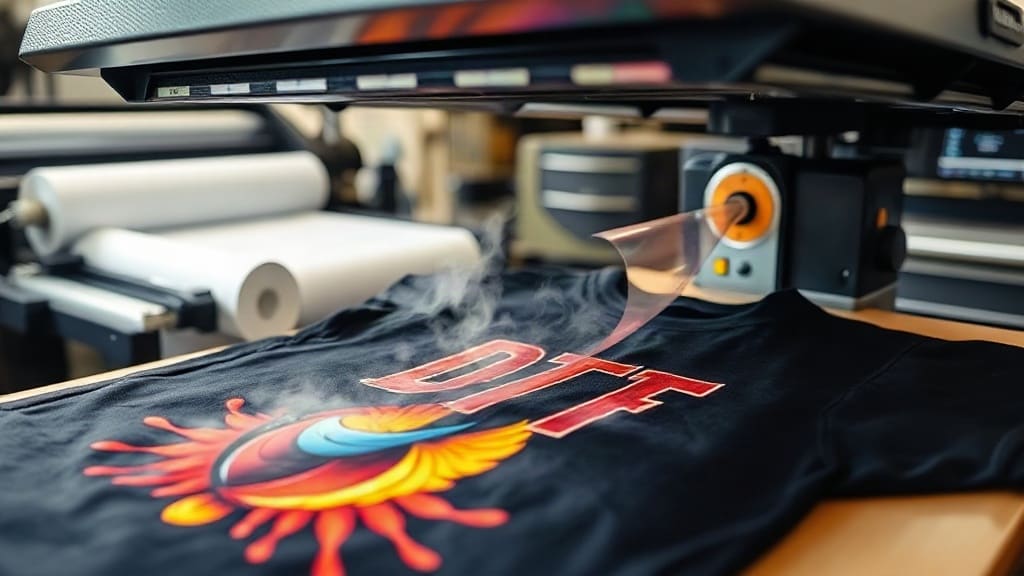
If you're in the custom apparel business or just love creating unique shirts, you've likely heard about DTF transfers. This innovative printing method has taken the industry by storm, offering a way to produce vibrant, durable designs on a wide range of fabrics. But what exactly are DTF transfers, and why are they becoming the go-to choice for many? In this comprehensive guide, we'll dive deep into the world of DTF, exploring how it works, its advantages over other methods, and practical tips to ensure your prints come out perfect every time.
What Are DTF Transfers?
DTF stands for Direct to Film. It's a printing process where a design is printed onto a special film, coated with adhesive powder, and then heat-pressed onto fabric. The result is a soft, vibrant, and highly durable print that can be applied to cotton, polyester, blends, and even hard surfaces like mugs or wood. Unlike traditional screen printing, DTF allows for full-color prints with no setup fees, making it ideal for small batches and intricate designs.
The process starts with a digital design, which is printed on a PET film using a special DTF printer. After printing, a hot-melt adhesive powder is applied to the wet ink, and the film is dried and cured. When you're ready to transfer the design, you place the film on the garment and apply heat and pressure with a heat press. The adhesive melts and bonds the ink to the fabric, creating a permanent, stretchable print.
Why Choose DTF Transfers Over Other Methods?
There are several reasons why DTF transfers have become so popular. Let's compare them to other common methods like screen printing, heat transfer vinyl (HTV), and sublimation.
Versatility Across Fabrics
One of the biggest advantages of DTF is its ability to work on virtually any fabric. Unlike sublimation, which only works on polyester or light-colored garments with a high polymer content, DTF can be applied to 100% cotton, polyester, blends, and even dark fabrics without a white underbase. This versatility makes it perfect for a wide range of products, from t-shirts and hoodies to tote bags and hats.
Cost-Effective for Small Runs
Screen printing often requires a significant setup cost, making it uneconomical for small orders. DTF transfers, on the other hand, have no setup fees. You can print a single shirt or a hundred with the same ease and relatively low cost. This makes DTF ideal for small businesses, print-on-demand services, and hobbyists.
High Detail and Color Vibrancy
DTF printing uses high-resolution inkjet technology, allowing for sharp details and a wide color gamut. The colors are incredibly vibrant, and because the ink sits on the surface of the fabric, they pop even on dark materials. Plus, the adhesive layer ensures the print remains clear and doesn't crack or fade easily.
Soft Hand Feel
Compared to traditional screen printing, which can leave a thick layer of ink on the fabric, DTF transfers have a much softer hand feel. The design is applied with a thin layer of adhesive, giving the print a smooth, flexible texture that doesn't stiffen the garment. This comfort makes DTF a favorite among apparel brands that prioritize quality and wearability.
How to Use DTF Transfers: A Step-by-Step Guide
Getting started with DTF transfers is easier than you might think. Here's a simple breakdown of the process, whether you're using pre-made transfers or printing your own.
Using Pre-Made DTF Transfers
If you don't have a DTF printer, you can purchase pre-printed transfers from suppliers. These are ready to apply with a heat press. Here's how to do it:
- Preheat your heat press to about 320°F (160°C) and set the pressure to medium-high.
- Place the garment on the press and pre-press it for a few seconds to remove wrinkles and moisture.
- Position the DTF transfer film on the garment with the printed side facing down.
- Apply heat for 15-20 seconds with firm pressure. Make sure to use a Teflon sheet or parchment paper over the film to protect it.
- After pressing, peel the film while it's still warm (hot peel) or wait until it cools (cold peel), depending on the manufacturer's instructions.
- For best results, cover the print with a Teflon sheet and press again for 5-10 seconds to ensure full adhesion.
Printing Your Own DTF Transfers
If you have a DTF printer, the process involves a few more steps but offers greater control and flexibility.
- Create your design in a graphics software like Adobe Illustrator or Photoshop. Ensure the resolution is at least 300 DPI.
- Print the design onto DTF film using a DTF printer with CMYK+White ink. The white ink is crucial for printing on dark fabrics.
- While the ink is still wet, apply DTF adhesive powder evenly over the printed area. Use a shaker or a powder applicator to cover the design thoroughly.
- Shake off the excess powder and cure the film in a dryer or using a heat press at a low temperature (around 200°F) for a few minutes until the powder melts and bonds.
- Once cured, the transfer is ready to use. Store it in a cool, dry place until you're ready to apply it.
Tips for Perfect DTF Transfers Every Time
To achieve professional results, keep these tips in mind:
- Use High-Quality Transfer Film: The quality of your film affects the print's durability and ease of peeling. Invest in reputable brands.
- Control Temperature and Pressure: Too much heat can scorch the fabric, while too little may not activate the adhesive. Follow the recommended settings for your film and garment.
- Choose the Right Garment: DTF works on many fabrics, but you'll get the best results on smooth, tight-knit materials. Avoid rough textures like fleece or canvas.
- Test Before Bulk Production: Always do a test print and transfer to ensure color accuracy and adhesion before committing to a large batch.
- Proper Storage: Keep unused transfers in a sealed bag or container away from heat, humidity, and direct sunlight to maintain their quality.
Common Problems and Solutions
Even with the right technique, issues can arise. Here are some common problems and how to fix them:
Poor Adhesion or Peeling
If your design starts to peel after a few washes, it's likely due to insufficient heat, pressure, or time. Increase the pressing time or temperature slightly, and make sure the garment is smooth and free of residues.
White Ink Showing Through
When printing on dark fabrics, the white ink layer acts as a base. If you see white edges or underbase gaps, it could be due to misalignment or too little white ink. Ensure your design is properly mirrored and the white ink coverage is complete.
Cracking or Fading
Over-washing or using harsh detergents can cause cracking. Always wash garments inside out in cold water and avoid using bleach or fabric softeners. Also, ensure the transfer is fully cured before washing.
DTF Transfers vs. Sublimation: Which Is Better?
Both DTF and sublimation have their strengths, but they serve different purposes. Sublimation infuses dye into the fabric, making it permanent and ideal for all-over prints on polyester. However, it doesn't work on cotton. DTF, as mentioned, is more versatile and works on any fabric, but the print sits on the surface, which some may prefer or not, depending on the desired look and feel.
For businesses that work with a variety of garments, DTF is often the more practical choice. It allows you to offer products in different fabric types without investing in multiple printing methods. Plus, the ability to print on demand reduces inventory costs.
Is DTF Transfers the Future of Custom Printing?
Given its many advantages, it's not surprising that DTF transfers are gaining widespread adoption. They offer a cost-effective, versatile, and high-quality solution for custom apparel, making them accessible to both small startups and established brands. As technology advances, we can expect even better ink formulations, faster printers, and more efficient processes, further cementing DTF's place in the industry.
Whether you're a seasoned printer or just starting, incorporating DTF into your workflow can open up new opportunities. From personalized gifts to large-scale production, the possibilities are endless. So, why not give it a try? You might just find it's the perfect printing method you've been looking for.
Frequently Asked Questions
Can DTF transfers be used on any fabric?
Yes, DTF transfers are versatile and can be applied to most fabrics, including cotton, polyester, blends, and even nylon. However, for best results, it's recommended to use smooth, tight-knit fabrics. Avoid extremely stretchy or textured materials as they may affect the adhesion and durability of the print.
How long do DTF transfers last?
With proper care, DTF prints can last for many washes without fading or cracking. The durability depends on factors like the quality of the materials, the pressing conditions, and the washing instructions. Generally, they are considered quite durable and can withstand regular wear and tear.
Do I need a special printer to make DTF transfers at home?
Yes, creating DTF transfers requires a specialized DTF printer that uses pigment inks and white ink. These printers are designed to print on PET film and are more expensive than standard inkjet printers. However, you can also purchase pre-made DTF transfers from suppliers and apply them with a regular heat press, which is a more accessible option for beginners.
Can I wash garments with DTF transfers?
Yes, you can wash DTF-printed garments. It's recommended to wash them inside out in cold water and avoid using bleach or abrasive detergents. Tumble dry on low or hang to dry. Following these care instructions will help maintain the print's quality over time.
What is the difference between hot peel and cold peel DTF transfers?
Hot peel transfers are removed from the garment immediately after pressing, while still hot. Cold peel transfers require the film to cool completely before removal. The type you use depends on the manufacturer's specifications. Hot peel transfers are generally faster, but cold peel can sometimes result in a glossier finish. Always follow the instructions provided with your specific transfers.