
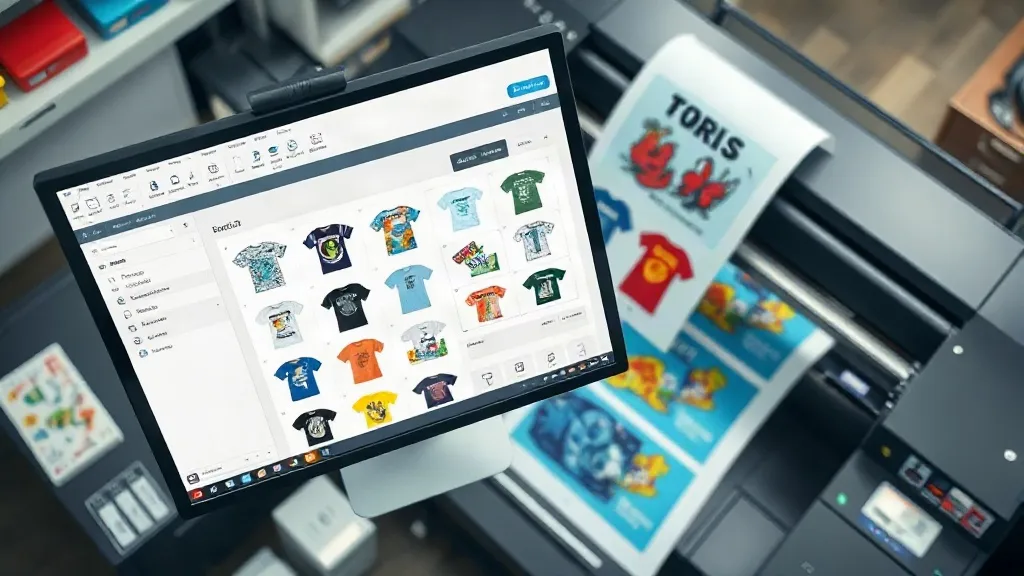
If you're new to direct-to-film (DTF) printing, you've probably heard the term "gangsheet" tossed around in forums and tutorial videos. But what exactly is a gangsheet, and why should it matter for your printing business? In simple terms, a DTF Gangsheet is a layout that arranges multiple designs on a single film sheet, allowing you to print several jobs at once. This approach is a game-changer for efficiency, especially for small to medium-sized print shops. In this guide, we'll walk you through the basics of gangsheets, how to create them, and why they can significantly improve your bottom line.
What Is a DTF Gangsheet?
A DTF gangsheet is a single sheet of DTF film that contains multiple printed designs. Instead of printing each design individually, you group them together on one sheet, hence the term "gang." This method is particularly useful when you have several small orders or when you want to maximize the use of your film and ink. The designs are printed onto the film, then powdered with adhesive, and finally heat-pressed onto garments. The gangsheet approach minimizes waste and speeds up production because you're handling one sheet instead of many.
For example, imagine you have orders for five different t-shirt designs, each with a small print area. Printing each design separately would require five separate film sheets, each with its own setup and waste. With a gangsheet, you can arrange all five designs on one sheet, print them in a single pass, and then cut them out. This not only saves time but also reduces material costs.
Why Use a DTF Gangsheet?
There are several compelling reasons to incorporate gangsheets into your DTF printing workflow. Let's explore the key benefits.
Cost Savings
One of the most significant advantages of using a DTF Gangsheet is cost savings. DTF film and ink can be expensive, especially for small businesses. By maximizing the use of each sheet, you reduce waste and get more prints per roll. Additionally, gangsheets allow you to take advantage of bulk printing, which can lower your per-unit costs. For instance, if you're printing 20 small logos, arranging them on a single gangsheet uses far less film than printing each logo separately.
Time Efficiency
Time is money in the printing business. Gangsheets streamline your workflow by reducing the number of print jobs. Instead of loading and unloading film multiple times, you can print a whole batch of designs in one go. This is especially beneficial for orders with multiple small items, such as team jerseys or promotional merchandise. The time saved can be redirected to other tasks, like marketing or customer service.
Consistency and Quality
When you print designs individually, there's a risk of slight variations in color or quality due to differences in printer settings or environmental conditions. With a gangsheet, all designs are printed under the same conditions, ensuring consistent color and quality across the board. This consistency is crucial for brand uniformity and customer satisfaction.
Versatility
Gangsheets are incredibly versatile. You can mix different designs, sizes, and even different types of garments on a single sheet. For example, you might have a small logo for a polo shirt, a larger graphic for a hoodie, and a medium design for a tote bag, all on one gangsheet. This flexibility allows you to cater to a wide range of customer needs without compromising efficiency.
How to Create a DTF Gangsheet
Creating a gangsheet requires some planning and the right tools. Here's a step-by-step guide to help you get started.
Step 1: Gather Your Designs
Collect all the designs you want to include in the gangsheet. Ensure they are high-resolution and properly sized for their intended garments. You can use design software like Adobe Photoshop or Illustrator, or dedicated DTF software that offers gangsheet templates.
Step 2: Choose the Right Film Size
DTF film comes in various widths, typically ranging from 13 inches to 24 inches or more. Choose a film size that accommodates your designs without excessive empty space. The goal is to minimize waste while ensuring all designs fit comfortably.
Step 3: Arrange Designs Efficiently
Use your design software to arrange the designs on the canvas. Leave a small gap between designs to allow for cutting. Rotate designs if necessary to fill gaps and maximize space. Many DTF printers come with RIP software that includes nesting features to automatically arrange designs for optimal use of space.
Step 4: Print and Cure
Once your gangsheet is laid out, print it using your DTF printer. After printing, apply the adhesive powder and cure it according to your printer's specifications. The cured film can then be stored or immediately used for heat pressing.
Tips for Maximizing Gangsheet Efficiency
To get the most out of your gangsheets, consider these practical tips:
- Plan ahead: Group designs by similar colors or themes to streamline the printing process.
- Use nesting software: Invest in software that automatically arranges designs to minimize waste.
- Keep a library of common designs: Pre-arrange frequently ordered designs on gangsheets to save time on future orders.
- Test different layouts: Experiment with different arrangements to find the most efficient use of film for your typical orders.
- Stay organized: Label and store gangsheets properly to avoid mix-ups and damage.
Common Mistakes to Avoid
Even experienced printers can make mistakes with gangsheets. Here are some pitfalls to watch out for:
- Overcrowding: Packing too many designs too closely can lead to cutting errors and misalignment during pressing.
- Ignoring grain direction: Some films have a grain direction that affects adhesion; always check the manufacturer's recommendations.
- Inconsistent powder application: Ensure even powder coverage to avoid patchy transfers.
- Using outdated software: Keep your design and RIP software updated for the best nesting algorithms and compatibility.
Frequently Asked Questions
What is the maximum size of a DTF gangsheet?
The maximum size depends on your printer's capabilities and the film width you use. Common widths are 13", 17", and 24", but some industrial printers can handle wider films. The length is typically limited by the roll size, but you can print continuous gangsheets if your software supports it.
Can I mix different fabric types on one gangsheet?
Yes, you can mix designs intended for different fabrics on the same gangsheet. However, keep in mind that pressing conditions (temperature, pressure, time) may vary for different fabrics, so you'll need to press each garment separately. The gangsheet itself is just the printed film; the application is done per garment.
How do I store unused gangsheets?
Store unused gangsheets in a cool, dry place away from direct sunlight. Keep them flat or rolled loosely to prevent creasing. Proper storage ensures the adhesive powder remains effective and the film doesn't warp.
Is a DTF gangsheet suitable for small orders?
Absolutely. Gangsheets are ideal for small orders because they allow you to combine multiple small designs into one print job, reducing setup time and waste. Even if you have just a few small designs, grouping them on a gangsheet can be more efficient than printing individually.
What software do you recommend for creating gangsheets?
Popular options include Adobe Photoshop and Illustrator for design, combined with RIP software like AcroRIP or Cadlink's Digital Factory, which offer nesting and gangsheet templates. Some DTF printer manufacturers also provide proprietary software. Choose based on your budget and workflow needs.